Chatbot Data Retention: How Long to Keep Chats
How long should a website chatbot keep conversations? Learn what vendors store, what US and EU rules expect, and how to set a retention policy for your business.

A website chatbot should keep a conversation only as long as you have a clear reason to. For most small businesses that means a short, written period for raw chat logs, a longer one for leads a person asked you to follow up on, and a routine for deleting the rest. No law gives one universal number. What the rules do expect is that you pick a period, tell visitors about it and actually delete on schedule.
This guide covers what chatbots store, what happens when a chat is “deleted,” which rules apply to a US business with international visitors, and how to set a policy you can run without a legal team.
TL;DR
- There is no single legal retention number for chatbot conversations. You choose a period tied to a purpose, write it down and follow it.
- Deleting a chat from view does not always mean it is gone from every system. Large AI providers publish their own windows, from 30 days to years.
- Visitors type more than you expect: names, emails, phone numbers, even health details. Tell them what to leave out and keep the logs short-lived.
- Disclose your retention period in your privacy notice, and give people a working way to ask for deletion.
- Review your stored conversations on a fixed schedule, and move anything you must keep into your CRM instead of leaving it in raw transcripts.
Table of Contents
- What “chatbot data retention” actually covers
- How long do chatbots keep your data?
- Training, review and opt-in: the second retention clock
- What happens when a chat is deleted
- Which rules affect your retention choices
- How to set a retention policy in six steps
- What visitors should avoid sharing with a website chatbot
- Control what the assistant knows and keeps
- Our perspective
- Try it on your own site
- FAQ
- Sources
What “chatbot data retention” actually covers
Retention is not only the chat transcript. When a visitor talks to a website assistant, several kinds of data can pile up:
- The transcript: every question and answer, with timestamps.
- Contact details: names, emails and phone numbers the visitor typed in, or entered in a lead form.
- Metadata: the page the visitor was on, the language, the device and how the chat ended.
- Derived data: summaries, tags, lead scores and analytics built from the conversation.
- Feedback and review data: thumbs up or down, and conversations flagged for review.
Each layer can have its own lifespan. That is why a policy that says only “we keep chats for 90 days” is often incomplete. You also need to say what happens to the lead record created from that chat, and to the analytics derived from it.
The layers matter because a conversation holds more than the visitor meant to share. A 2026 peer-reviewed review in Springer’s AI journal describes conversations that contain names, email addresses, phone numbers, and financial, location and health information. The same review says conversational systems can also reveal moods, political views and personality traits. Deleting the visible chat does not necessarily remove data that was derived from it.
How long do chatbots keep your data?
It depends on who runs the model and who runs the widget. Two layers are involved: the chatbot provider that hosts your assistant and its dashboard, and any AI model provider behind it. Each has its own retention terms.
Published terms from major AI providers show how wide the range is:
| Provider practice | What it says | Source |
|---|---|---|
| OpenAI, consumer ChatGPT and API | Deleted chats and temporary chats are scheduled for removal from its systems within 30 days, and API data is deleted after 30 days, unless a legal or security need applies. | OpenAI |
| Anthropic, feedback data | Feedback data, including the associated conversations, can be stored for up to 5 years in secured back-ends. | Anthropic Privacy Center |
The numbers are not comparable, because they describe different kinds of data. OpenAI’s 30 days applies to deleted chats. Anthropic’s five years applies to feedback data, which is a separate category from ordinary chats.
OpenAI also notes that a court order once forced it to keep consumer chat and API content, and that it is no longer under that order since September 26, 2025. The lesson for a business is practical: a deletion promise can be overridden by legal obligations, so your policy should say “unless the law requires us to keep it.”
For your own site, the same logic applies. Ask your chatbot vendor three questions in writing:
- How long are conversation logs stored by default, and can you change it?
- Are conversations used to train models, and is that on by default or only by opt-in?
- When you delete a conversation or lead, how long until it disappears from backups?
Training, review and opt-in: the second retention clock
Some conversations stay longer because they are used to improve models. Anthropic states that it may use chats to improve its models when users opt in, when conversations are flagged for safety review, or when users otherwise explicitly agree. Other providers draw the lines differently.
If you want a plain-language look at when chat sessions may feed model improvement and how opt-in choices change that, this AI chatbot design guide is a good companion read.
For a small business, the safest setup is one where your visitors’ messages answer questions from your own FAQs, pages and product feed, and are not repurposed for anything else. When you evaluate any assistant, check whether your conversations are used beyond serving your visitors. If they are, your privacy notice must say so.
The Council of Europe’s Consultative Committee has also noted that foundation models can memorize training data, which creates problems for data subject rights. The draft guidelines recommend mitigation mechanisms and, where possible, extracting memorized data. In plain terms: once personal data has gone into a model, taking it back is hard. Keeping personal data out of training in the first place is far easier.

What happens when a chat is deleted
Three things can happen, and only one of them is real deletion.
- Hidden from view. The transcript disappears from your dashboard, but the record still exists in the database or in backups.
- Scheduled for deletion. The record is removed after a delay, such as OpenAI’s 30-day window for deleted chats, unless a legal or security exception applies.
- Deleted everywhere, including derived data. The transcript, the lead record, summaries and analytics entries built from it are all removed.
Most people assume the third, and most systems deliver the second at best. If a visitor asks you to erase their data, you need to know which of the three your tools do. Check each place a chat can end up: the chatbot dashboard, your CRM, email notifications sent to your team, and any spreadsheet someone exported.
This is the most common small-business gap. The chatbot deletes the transcript on schedule, but a lead notification sits in three inboxes forever. Build the deletion routine around every copy, not just the original.
Which rules affect your retention choices
You do not need to be a lawyer, but you do need to know which rules your visitors bring with them. Your site may be American, yet your visitors can be anywhere.
United States
There is no single federal chatbot retention law. State privacy laws set the main expectations. The California Consumer Privacy Act requires businesses to provide ways to submit deletion requests and to honor them, with exceptions for completing a transaction, security, debugging and legal obligations. If you are subject to the CCPA, a chatbot conversation containing a visitor’s personal information falls inside that process.
Other states have their own privacy statutes, and thresholds for who is covered differ. If you are unsure whether a law applies to you, ask a privacy attorney licensed in your state. Do that before you launch, not after a complaint.
European Union and similar frameworks
If you serve visitors in the EU, the GDPR’s storage limitation principle applies. Organizations must keep data to a strict minimum, review it periodically for deletion, and tell users about retention periods in their privacy notices. Personal data no longer needed for its original purpose has to be securely deleted or anonymized.
The GDPR text itself adds a transparency duty: information about processing must be easily accessible and understandable, with clear identification of the controller and the purposes.
What this means in practice
The rules point in the same direction, which makes a single policy workable:
- Know why you keep each type of data.
- Keep it no longer than that reason lasts.
- Say so in plain words in your privacy notice.
- Delete on request, except where an exception applies.
For help turning those points into notice language, this guide to privacy policy disclosures for small businesses shows how to make purposes, retention periods and user rights understandable.
How to set a retention policy in six steps
This works for a small team with no dedicated privacy staff.
1. Inventory what the chatbot collects
Open your dashboard and list every field: transcript, email, phone, page URL, language, lead status, analytics. Add anything that gets copied elsewhere, such as notifications or CRM exports.
2. Give each item a purpose
Write one sentence per item. “Transcripts: to improve our answers and resolve disputes about what the assistant said.” “Lead records: to follow up on a request the visitor made.” If you cannot write the purpose, you probably should not keep the data.
3. Choose a period for each purpose
There is no official figure to copy, so choose a period you can defend. A common pattern is short retention for raw transcripts, longer for lead records tied to an active sales conversation, and indefinite only for anonymized statistics. One of the pages ranking for this topic suggests 30 days for chat logs used for immediate service improvement, but that is a vendor’s suggestion, not a legal rule. Set what fits your business, then document why.
As a starting framework:
| Data type | Why you keep it | Retention approach |
|---|---|---|
| Raw transcripts | Quality review, dispute resolution | Short, fixed period you set and write down |
| Lead records | Follow-up on a visitor’s request | Until the lead is resolved, then a defined review point |
| Conversations with a human handoff | Continuity for an open support case | Until the case closes, then treat as a transcript |
| Analytics on visitor questions | Improving your content | Anonymized, with no contact details attached |
4. Disclose it where visitors can see it
Put a short notice in the chat window that links to your privacy notice. In the notice, state the retention period or the criteria you use to set it, who processes the data, and how to request deletion. Keep the wording simple. Our own guide on chatbot privacy tests before launch walks through what to verify at this stage.
5. Tell visitors what not to type
The greeting message is your first line of defense. Add a line such as: “Please don’t share payment card numbers, passwords or health details in this chat.” Visitors who type sensitive details into a free-text box create retention problems for you. For order questions, the assistant can ask for an order number instead of a full card or address. If the bot needs identity checks, route them to a secure form or a person.
6. Schedule the review and the deletions
Retention policies fail when nobody owns them. Put a recurring reminder in your calendar, monthly or quarterly, to purge old transcripts, check the lead list and reconcile copies in other tools. Our piece on website chatbot security controls covers the access side: who on your team can see and export conversations.
What visitors should avoid sharing with a website chatbot
This list belongs in your help text and your greeting, not only in your policy.
- Payment card numbers, bank details and passwords.
- Government ID numbers.
- Health information, unless the business is set up to handle it lawfully.
- Details about other people, such as a colleague’s or child’s information.
- Anything confidential that you would not put in an email to a stranger.
The Springer review mentioned earlier is a reminder that a conversation can reveal more than the person typed, through inference about interests, health status and emotional state. Short, focused conversations that answer a product or service question are safer for everyone than open-ended ones.
Control what the assistant knows and keeps
Retention is easier when the assistant is built around content you own. An assistant that answers from your FAQs, pages and product feed does not need to store a visitor’s personal life story to be useful. See how to control chatbot sources on your website and how to connect your data to a website chatbot for the setup side. When you review analytics on what visitors ask, you can aggregate the questions and drop the personal details. Our chatbot analytics setup guide shows how to do this on a small site.
Transport matters too. If the widget loads over an insecure connection, retention policy is the least of your problems. See the HTTPS requirements for chatbots.
Our perspective
We built Konvuno for owners who have a website and no support team, so we think about retention the way those owners do: it has to be something you can manage from a dashboard in a few minutes, not a project for a developer.
Our view is that the best retention policy starts with what the assistant needs to know. Konvuno answers from your own FAQs, website content and product catalog, and the catalog stays current by syncing from WooCommerce or a Google Merchant or Facebook product feed. Because the answers come from content you control, the assistant does not depend on collecting personal details to be helpful.
When a visitor does leave contact details, they go into the built-in CRM, where you can see them next to the conversation. Having conversations, captured leads and knowledge management in one hosted dashboard gives you one place to review and clean up, instead of data scattered across inboxes and spreadsheets. That is the practical foundation for any retention routine.
We also believe you should be able to configure and preview everything before paying. Test what the assistant says about your data, your handoff to a human and your greeting message, then decide. A policy you have actually tried is better than one you only wrote.
Konstantin
Try it on your own site
If you want an assistant you can configure, preview and manage without developers, Konvuno installs with a single script tag and runs from a hosted dashboard. Plans start at €29 per month for Starter, with Growth at €79 per month and Business at €199 per month, and there is no per-seat pricing. Every plan includes full conversational catalog capabilities.
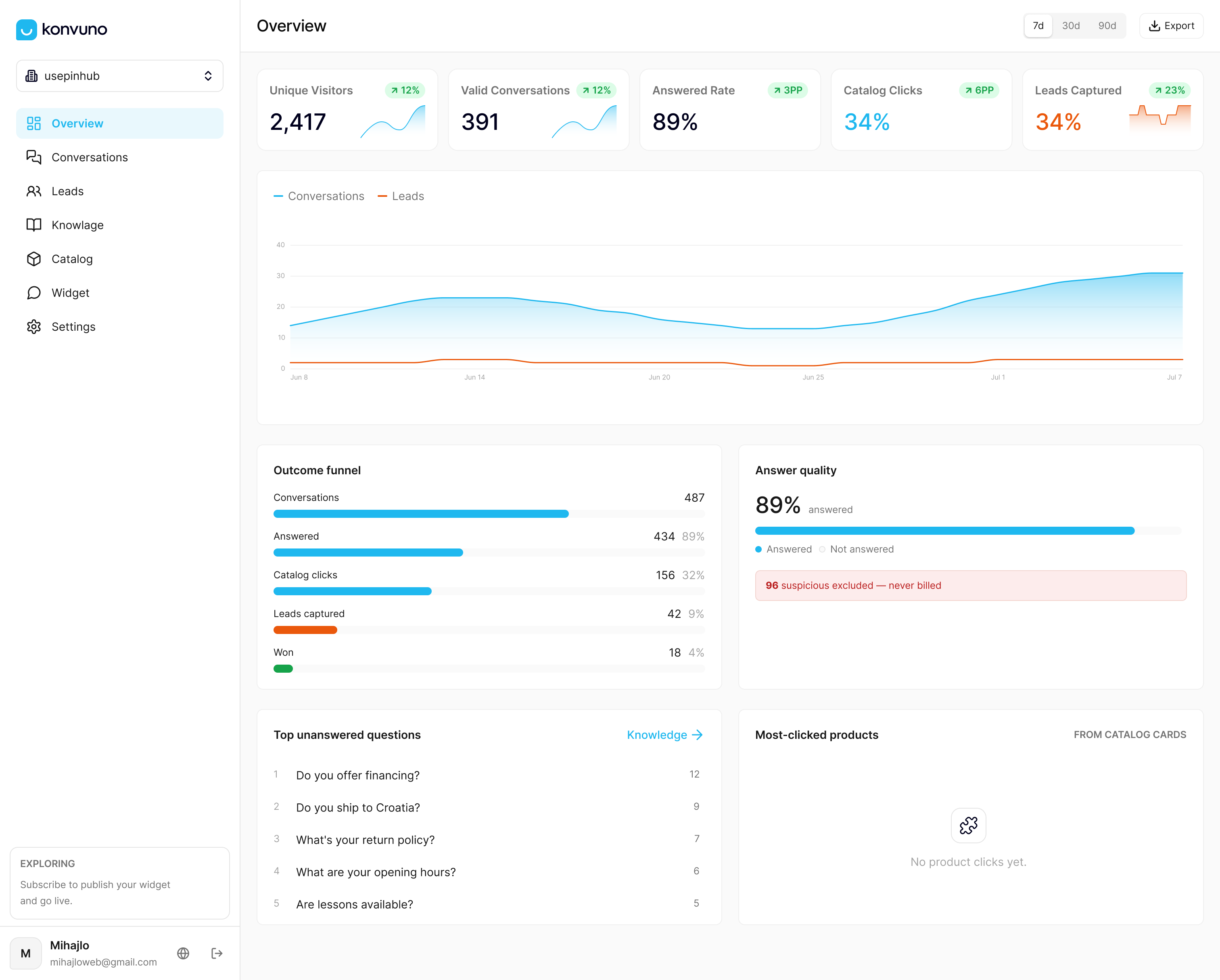
You can review the plans and set up your assistant at konvuno.com, then work through the retention steps above before you go live.
FAQ
How long should a website chatbot keep conversations?
No law sets one number for every business. Choose the shortest period that serves a purpose you can name, write it in your privacy notice and follow it. Keep raw transcripts for a short, fixed time, and keep lead records only while the follow-up is active.
Does a chatbot use my conversations to train its AI?
It depends on the provider and your settings. Anthropic, for example, says it may use chats for improvement if users opt in, if conversations are flagged for safety review, or if users otherwise explicitly agree. Ask any vendor in writing whether your visitors’ chats are used for training and whether that is on by default.
Are deleted chats really gone?
Not always immediately. OpenAI says deleted consumer chats are scheduled for removal from its systems within 30 days, unless a legal or security need applies. Check whether your own tools also remove copies in your CRM, email notifications and exports.
Do I have to delete a visitor’s chat if they ask?
If the CCPA applies to your business, you must offer a way to submit deletion requests and honor them, with exceptions such as completing a transaction, security, debugging and legal obligations. If you serve EU visitors, the GDPR adds its own rights. Ask a privacy attorney in your state which laws cover your business.
Sources
- Is my data used for model training? (Anthropic Privacy Center)
- How we’re responding to The New York Times’ data demands (OpenAI)
- Systemic privacy risks of personal data exposure through conversational AI (Springer)
- Draft guidelines on privacy and data protection (Consultative Committee, Council of Europe)
- Notice of Proposed Rulemaking Action, CCPA (California Attorney General)
- Regulation (EU) 2016/679 (EUR-Lex)
- AI chatbot design guide