Size Guide Chatbot Answers Need Fresh Feeds and Honest Fit Advice
See how size guide chatbot answers build shopper trust with clear fit advice, accurate measurements, fresh product feeds, and conversation log checks.

A size guide chatbot gives shoppers consultative, data-driven size suggestions that reduce uncertainty and speed up the buying decision. Done well, it also lowers size-related returns, because shoppers pick with more confidence. Below, we explain how these answers are built, how to phrase them so shoppers trust them, and what you need to prepare so they stay accurate.
TL;DR:
- Zalando attributed about one third of its returns to sizing and reported a 10% reduction from size advice, though results depend on data quality.
- Keep body measurements separate from finished garment measurements; shoppers can use body charts or compare a similar garment laid flat against product dimensions.
- Explain the fit trade off, use a familiar brand as an anchor, and disclose uncertainty; one or two questions can spare shoppers a tape measure.
- Add measurements for every size of every product, keep units consistent, sync the catalog feed, and review conversation logs weekly to find missing details.
Table of Contents
- Why do size guide chatbot answers matter for shoppers and retailers?
- How do size chatbots generate answers?
- How should you design answers shoppers trust?
- What is the difference between body size and product size?
- Which UX patterns signal that a recommendation is reliable?
- How do merchants prepare product data and conversation flows?
- An honest note on what to expect
- How can we add conversational size guidance to your store?
- FAQ
- Sources
Why do size guide chatbot answers matter for shoppers and retailers?
Sizing is one of the costliest problems in online fashion. A static chart tells shoppers what the numbers are, but it rarely settles whether a specific cut will fit them. A chatbot can answer in context, right on the product page, at the moment doubt appears.
Size-related returns made up about one third of Zalando’s returns, and its size-advice efforts reduced them by a reported 10%. That is case-study level reporting, but it shows why fit guidance is worth the effort.
In the buyer journey, a conversational answer sits between “I like this” and “I’ll add it to my cart.” It handles the question a chart cannot: “I’m between sizes, which one should I pick?”
The main benefits:
- Shoppers get a specific suggestion instead of decoding a table.
- Hesitation drops, so decisions come faster.
- Fewer wrong-size orders mean fewer returns to process.
- Your team answers fewer repetitive fit questions by hand.
How do size chatbots generate answers?
Every recommendation is only as good as its inputs. Most size chatbots draw on a mix of the following:
- Product measurements: finished garment dimensions for each SKU.
- Body measurements: what the shopper enters, if they choose to.
- Reference brands: the sizes a shopper already wears elsewhere.
- Fit feedback and return reasons: signals that a style runs small or large.
- Catalog data: names, variants, availability and prices, usually pulled from a product feed.
On the modeling side, approaches range from simple rule mappings (a chest measurement maps to a size) to machine learning ranking that learns from past purchases and returns. Some tools derive measurements from photos, and others connect to virtual try-on.
Fresh data matters more than clever models. If a feed still lists last season’s measurements, even the best model will confidently recommend the wrong size. That is why catalog sync and accurate SKU-level measurements come first. For broader context on how AI shapes the shopping experience, this overview of AI in eCommerce is a useful companion read.

How should you design answers shoppers trust?
Shoppers trust advice that sounds like a knowledgeable store assistant, not a verdict from a machine. Practitioners recommend the consultative approach: explain the trade-off instead of announcing one correct size. “M fits closer to the body, while L gives you more room” respects the shopper’s own preference.
- Lead with the trade-off. Offer a primary suggestion and say what the neighboring size would feel like.
- Anchor to a brand they know. Ask “Which size do you wear in a brand you like?” and translate that to your range. It avoids the friction of a tape measure.
- State your confidence plainly. When the data is thin or the shopper sits between sizes, say so and suggest considering a second size.
- Keep the follow-up light. One or two questions, not a questionnaire.
Pro Tip: Write your chatbot prompt so it always names the fit trade-off before the size. Our prompt engineering checks for chatbots show how to test that before launch.
What is the difference between body size and product size?
Mixing these two up is a classic cause of wrong recommendations. UNIQLO’s published guidance separates Body Size from Product Size: body size is the shopper’s actual measurements, while product size is the finished garment’s dimensions. Its guidance warns against comparing product size directly to body measurements, since garments are designed with extra room, and notes that measurements vary by design and fabric.
Your chatbot should support two workflows:
- Measure the body: use body-size charts to choose the label size.
- Measure a similar garment: lay a well-fitting item flat and compare it with the product-size chart.
Display tips that reduce confusion:
- Label every chart clearly as “Body Size” or “Product Size.”
- Offer a units toggle between inches and centimeters.
- Include a measurement diagram and a short example.
- Add fit notes where they matter, as Peloton’s size guide does when it suggests sizing down for a standard women’s fit in certain styles.
Which UX patterns signal that a recommendation is reliable?
Shoppers want to verify a suggestion before they buy. A 2026 CHI study on virtual try-on and online fashion shopping found that try-on reduced exploration time by supporting final verification of fit.
Participants said explicit confidence cues are essential for trust and decision-making in that study, which makes reliability signals a design requirement, not decoration.
Useful affordances:
- Attribute-level confidence: “shoulder fit: high, length: medium” says more than one overall score.
- Size overlays and comparative outlines: let shoppers see the garment against a reference.
- Error ranges: a small plus or minus on measurements keeps expectations honest.
- Escalation: hand off to a person when the shopper’s question falls outside the data, or suggest ordering two sizes when confidence is low.
How do merchants prepare product data and conversation flows?
Accurate answers on day one come from preparation, not from the model. Work through this checklist:
- Add SKU-level measurements for every size of every product, and keep units consistent.
- Sync them through your feed from WooCommerce, Google Merchant or Facebook so answers stay current. Our guide to fixing feed errors, variant IDs and syncs covers the usual traps, and this feed-sync walkthrough shows how fast a clean setup can go live.
- Map attributes such as fit type, stretch and fabric so the bot can explain why a size runs tight.
- Create reference-brand anchors for the brands your shoppers compare you with.
- Write short FAQ snippets for recurring fit issues, such as “Does this shrink in the wash?”
- Review conversation logs weekly. Frequent sizing questions point to missing product-page details. See how to find content gaps from escalation logs.
An honest note on what to expect
Our view after working with merchants on this: gains from size chatbots are real but incremental. No chatbot fixes bad data, and the biggest single lever is usually the boring one, correct garment measurements on every SKU. Treat launch as the start of measurement, not the finish. Collect the questions shoppers actually ask, watch where they hesitate, fix the product pages those questions point to, and repeat. Our hands-on guides and conversation analytics exist to make that loop easy, but the habit of testing and iterating matters more than any tool.
— Konstantin
How can we add conversational size guidance to your store?
We built Konvuno for small and medium stores that want a website assistant without a development project. You install a script tag, and the assistant answers from your own FAQs, website content and product catalog. Because the catalog syncs from WooCommerce or any Google Merchant or Facebook product feed, product information and availability stay current without manual updates. See how Shop Connect turns your feed into shopping answers, or read how the shopping assistant is installed.
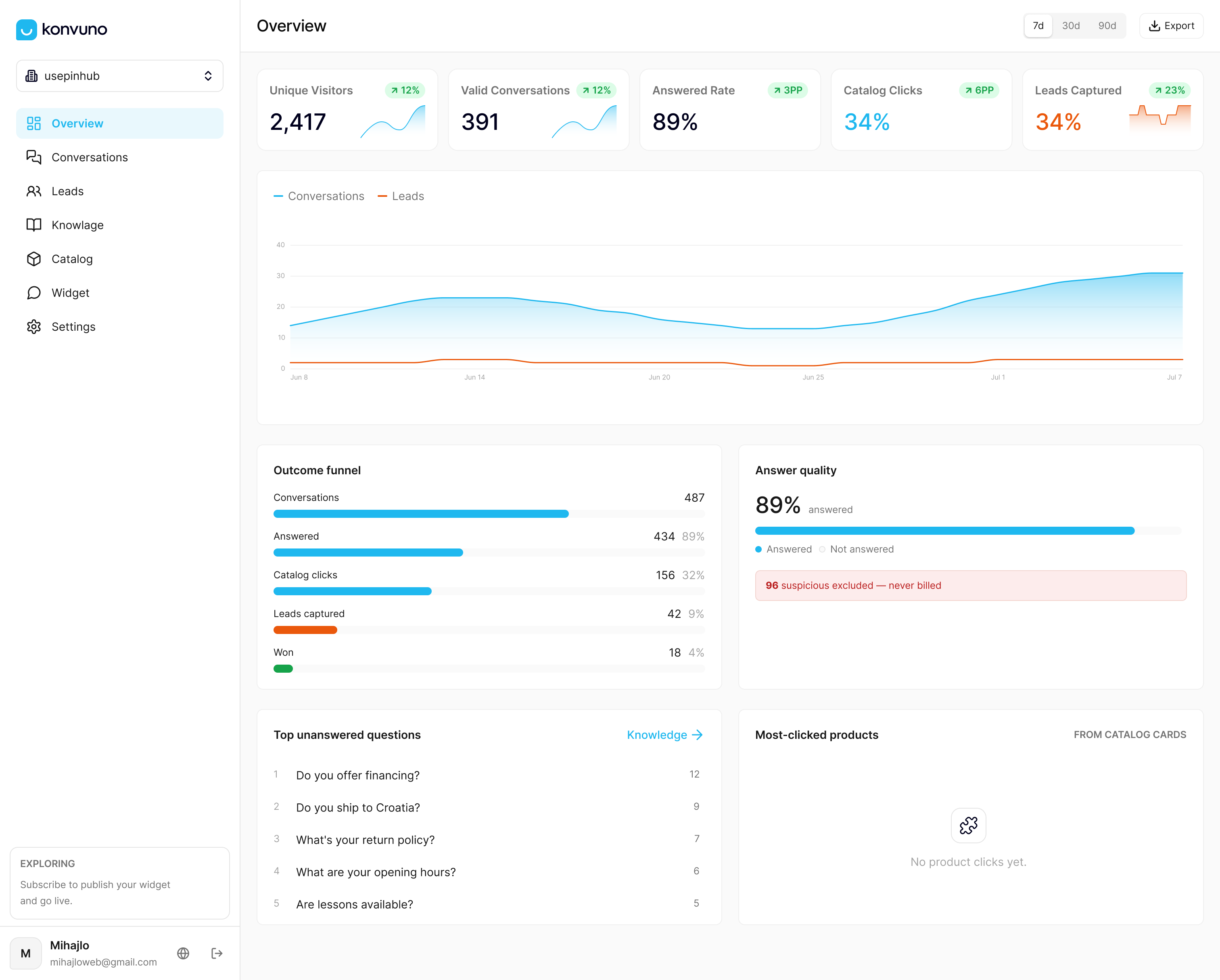
We support multiple languages, and our dashboard shows what visitors ask, so you can review those questions and capture leads in the built-in CRM. Our Starter plan is 29 EUR per month. Try Konvuno today and set up your size guide answers.
FAQ
What is a size guide chatbot?
A size guide chatbot is a conversational assistant that recommends clothing sizes based on product measurements, shopper input and catalog data. It replaces the static chart with a back-and-forth answer to “which size should I choose?”
Do shoppers need to enter their measurements?
No. Many shoppers will skip a tape measure, so asking which size they wear in a familiar brand is often easier. Offer measurements as an optional step for shoppers who want a more tailored answer.
Can a size chatbot really reduce returns?
It can help. Zalando reports that its size-advice efforts reduced size-related returns by a reported 10%, though that is case-study level reporting and results depend on the quality of your data.
How do I keep the answers accurate over time?
Sync your product feed so measurements and availability update automatically, and review conversation logs regularly. Repeated sizing questions usually reveal gaps on specific product pages.